 Pleochroma
Pleochroma Gem Design Suite
Spectral path tracer and faceting-design CAD for cut gemstones
Pleochroma is a spectral path tracer for cut gemstones. It traces light through the stone with hero-wavelength sampling, polarization and birefringence, and evaluates the refractive index per wavelength from Sellmeier and Cauchy data instead of a fixed RGB approximation. The physics runs on the CPU and, optionally, as a GPU kernel that is checked against the CPU reference.
Use it to preview faceting designs before cutting, to compare how
different gem materials render the same cut, and to produce
reference-quality still renders. Designs come from GemCAD-style
.asc cutting instructions or from Pleochroma's own faceting
editor. Besides the desktop studio there is a web app
for the browser and an Android app for phones and
tablets (not in an app store yet; built from source for now).
Pleochroma is MIT licensed.
1What it does
Physics and rendering
Spectral path tracing with polarization and birefringence, on the CPU or a GPU kernel checked against it.
Studio and CAD
A design library, a live render with optional optical-effect overlays, and a faceting editor that solves, optimizes and retargets cutting instructions.
Rough planner
Plan as many stones as fit a block, pebble or scanned rough, or at most as many as you choose, mixing up to 99 designs, and compare the best ten layouts.
Materials
38 built-in gem materials with dispersion data, one of them color zoned, plus custom materials and custom colors.
Distributed rendering
Hand a render to a coordinator and any workers that join it, locally or in the cloud.
Web app
Open, edit and render a design in the browser with nothing to install. It renders on the CPU, and on the GPU for isotropic stones in Chrome and Edge.
Mobile app
A touch-first Android app for phones and tablets that can also render on a coordinator. Not in an app store yet; build it and try it today.
Rough color and zoning
Take the color of a piece of rough, and its color zones, from backlit photos, and carry it into the planner and the render.
Crystal axis
Set the direction of the crystal in a stone, or tell the planner how it runs in the rough, and the color, doubling and cutting sheet follow it.
Surface finish, silk and play-of-color
Polish quality and scratches from your own faceting machine, ground facets, silk inside a sapphire, the flashes of opal and labradorite, and a refractive-index curve for each ray.
Cutting mode and tutorials
The cutting instructions one step per page for the bench, and 90 short tutorials, one for each CAD function, plus video tutorials on YouTube.
2Renders
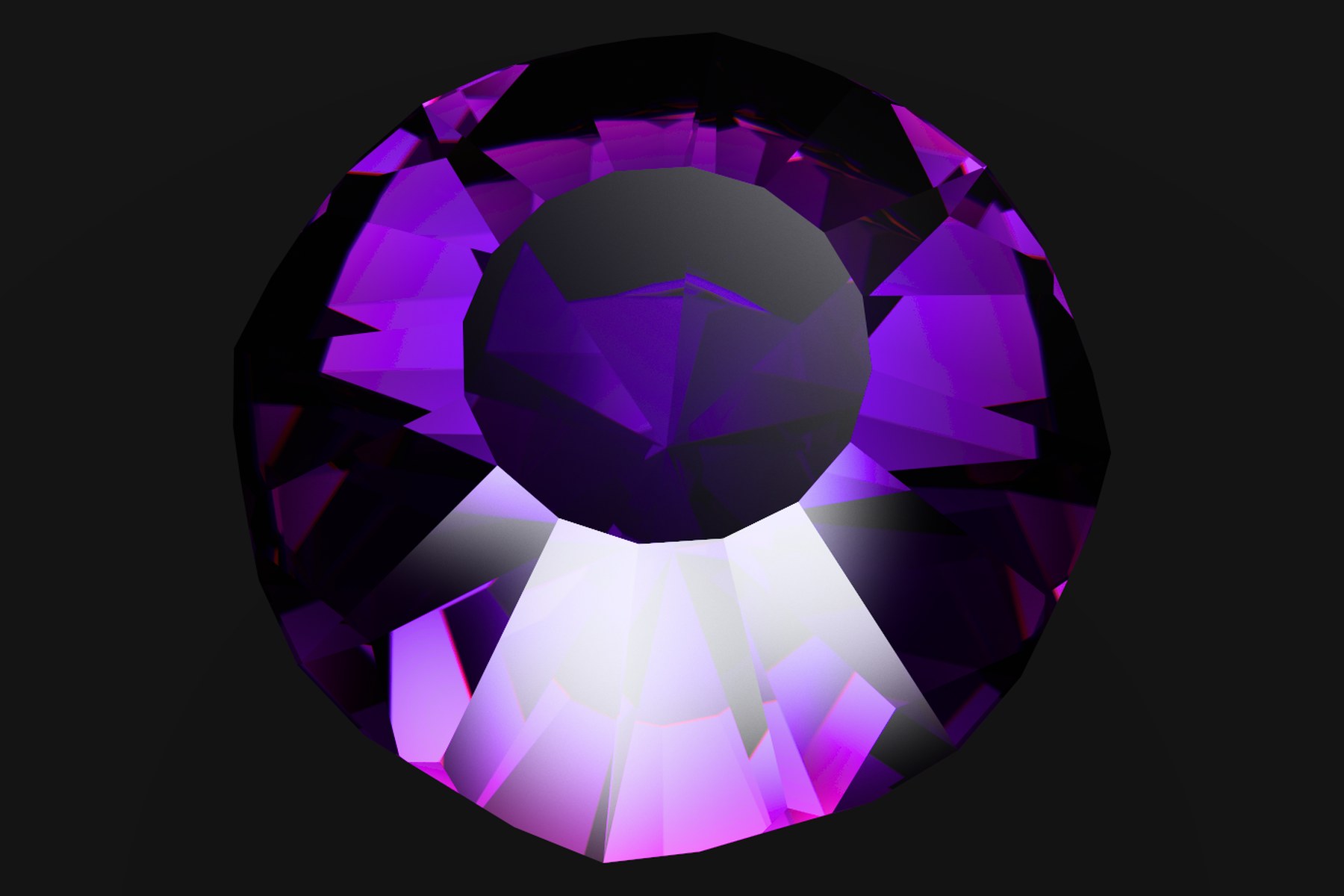
Every image on this site was rendered with Pleochroma. The first two show dispersion fringes and absorption; the six tiles show one design in six materials, cut and lit identically, so only the optics differ.
The renderer is also in use outside this project: the renewed facetdiagrams.org, released in October 2026, renders all of its static design images with Pleochroma.
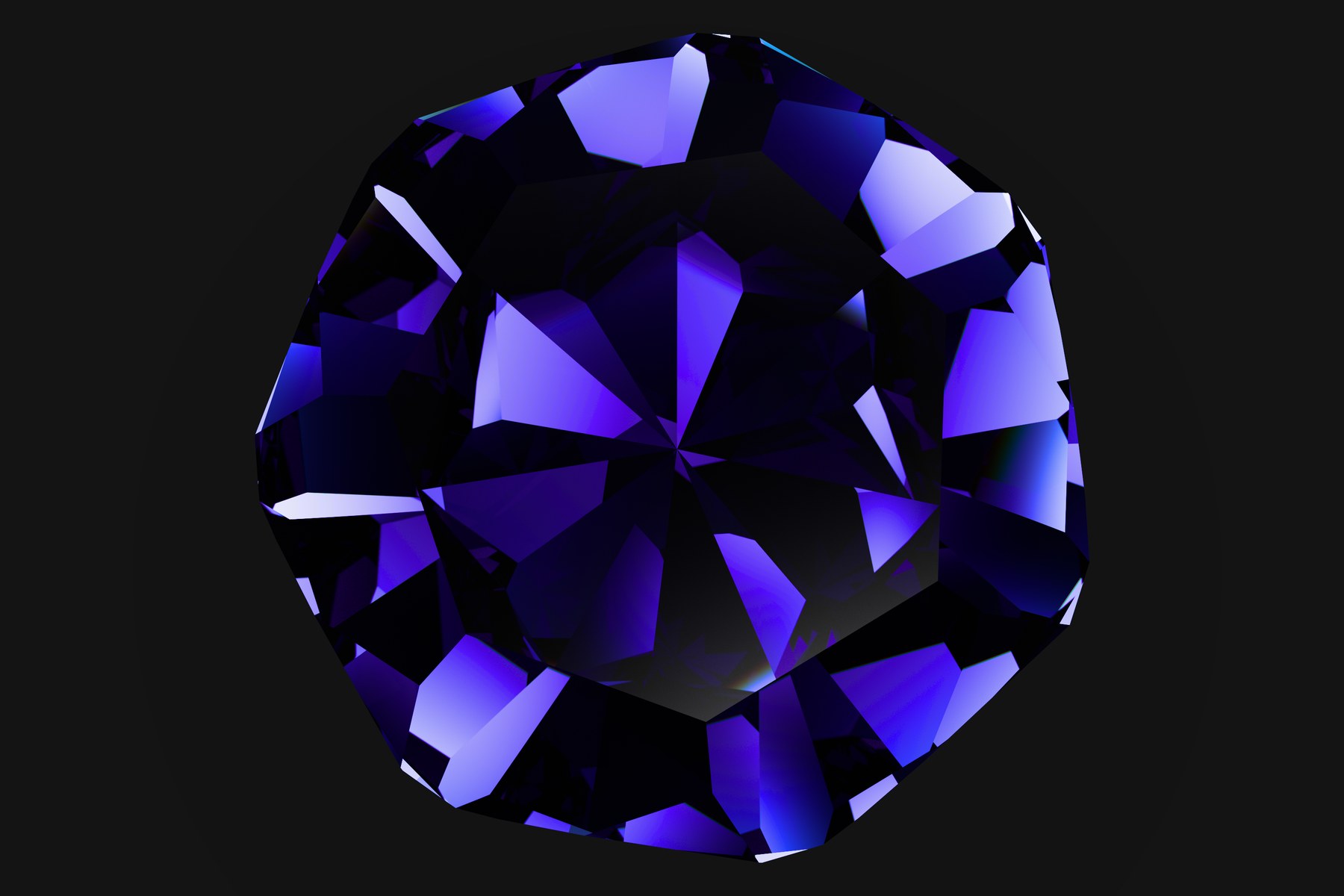
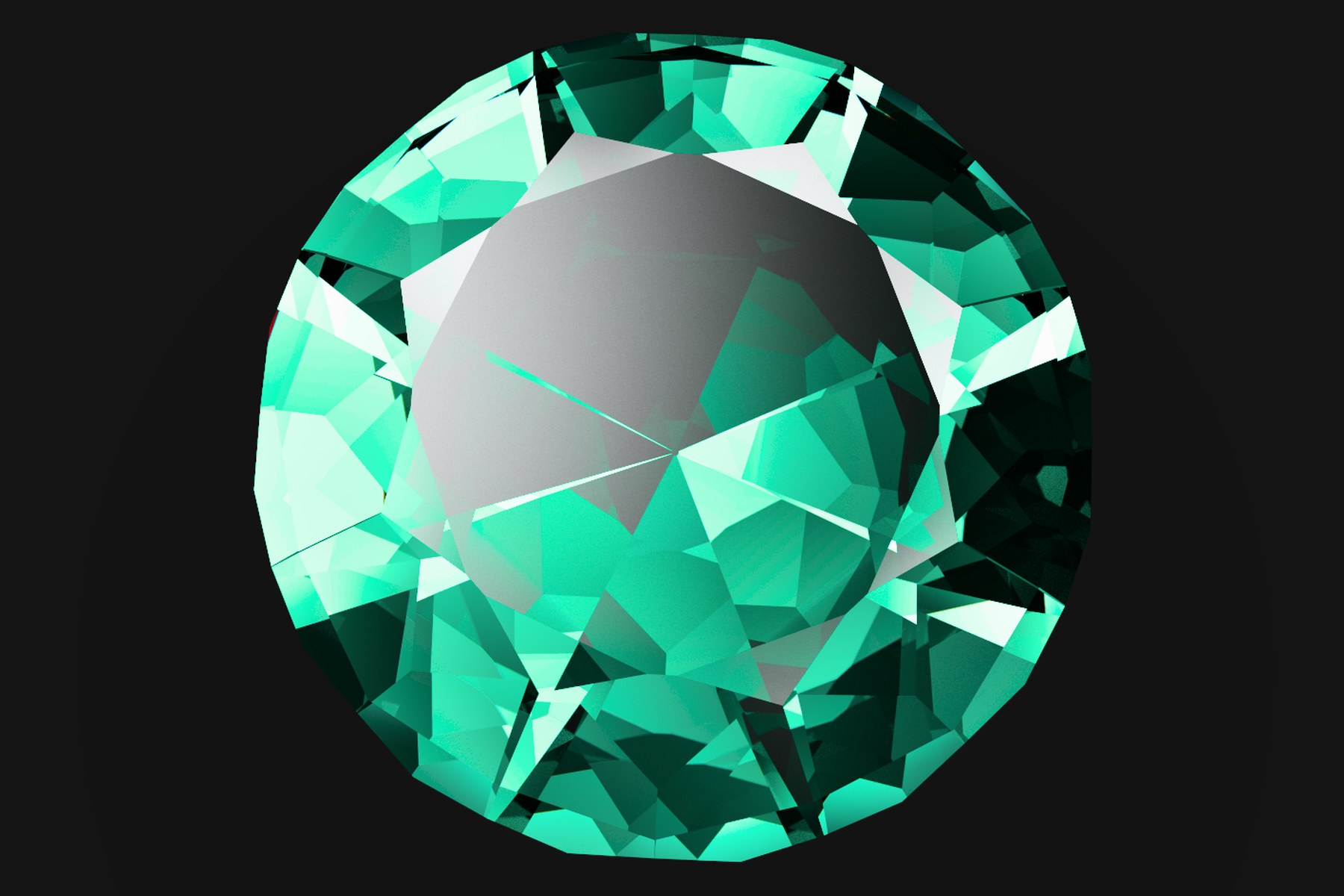
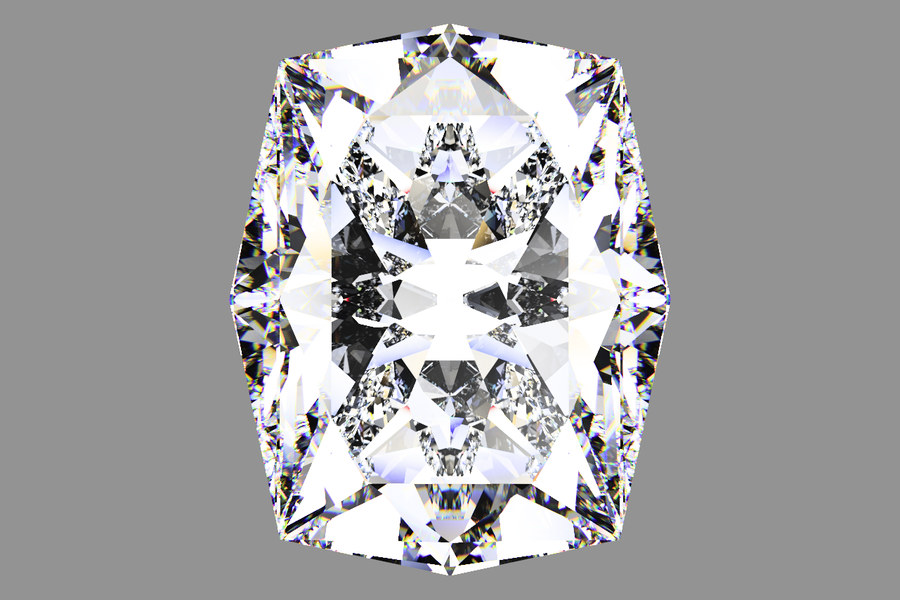
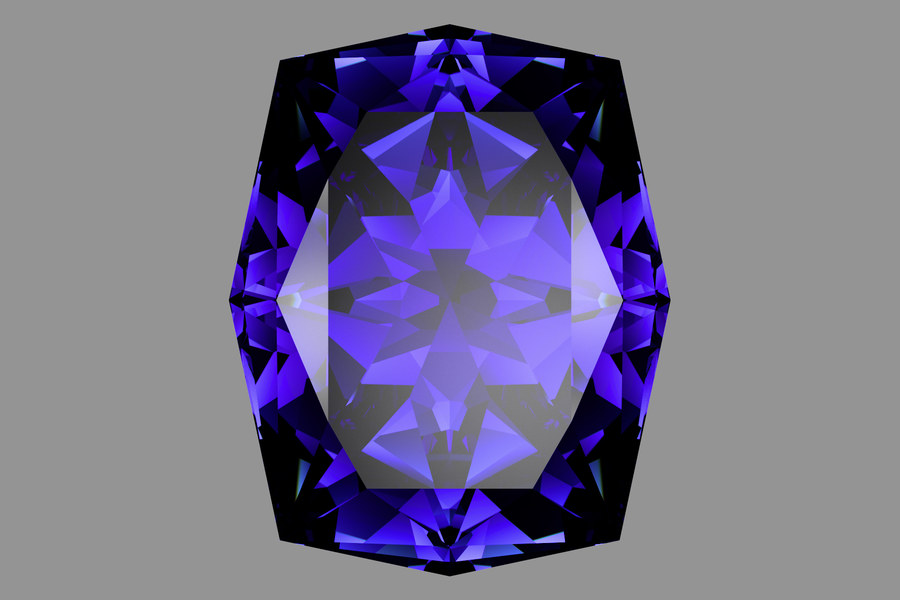
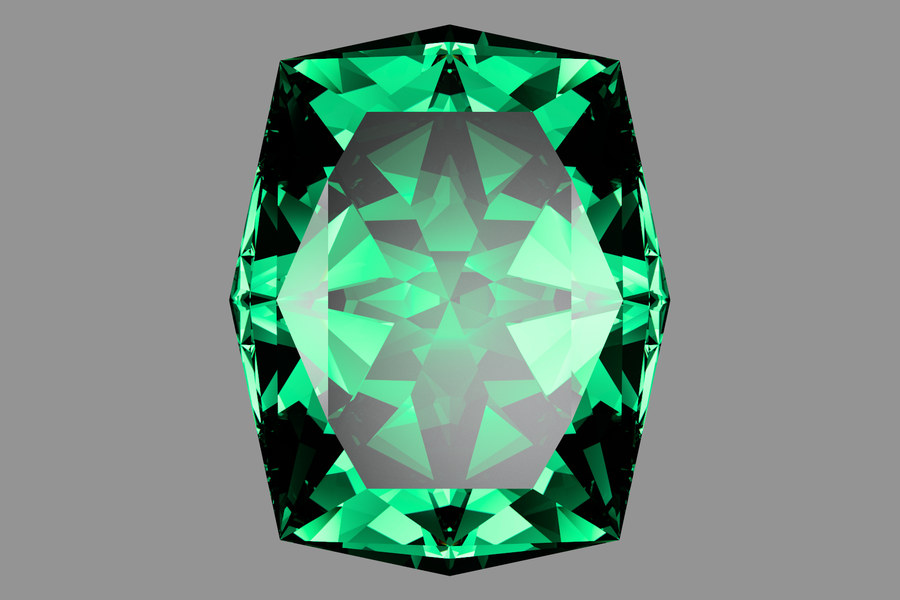
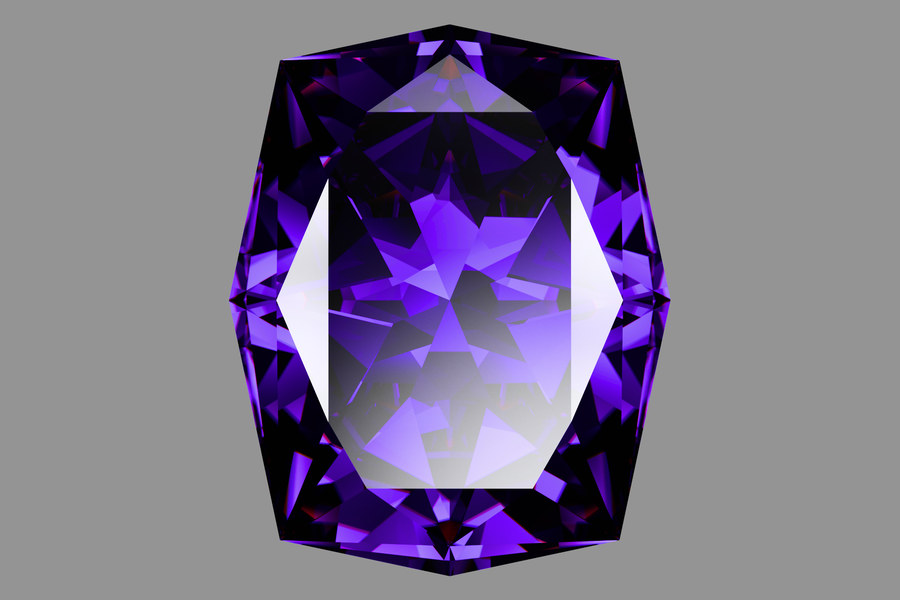
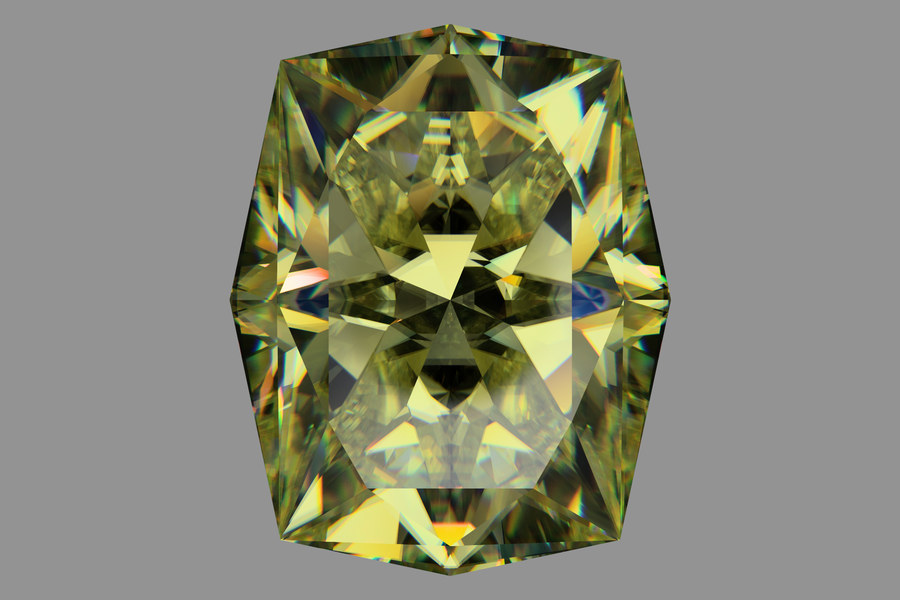
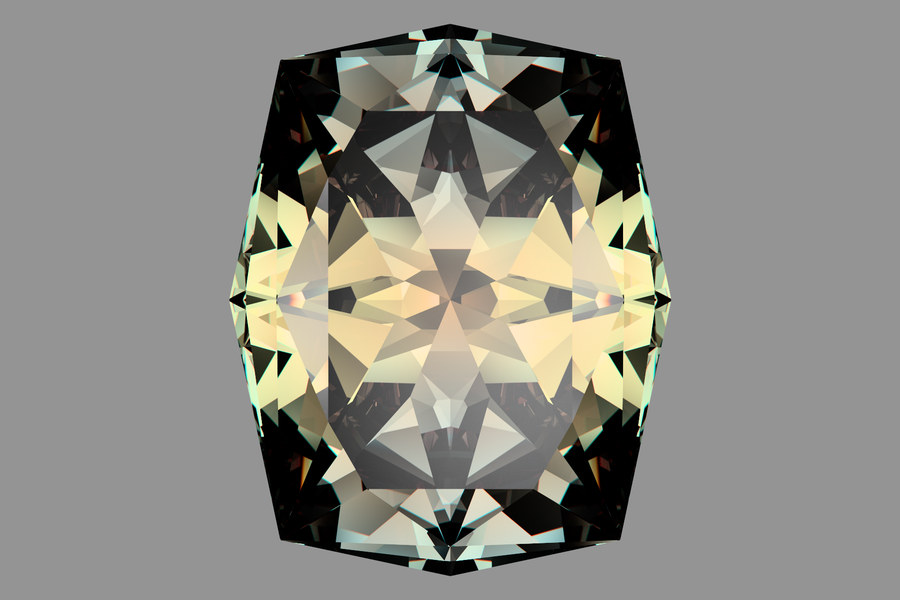
Each tile is cropped around its own stone, so sizes are not comparable from tile to tile. Diamond and rutile differ mainly in dispersion (0.0256 against 0.164 for rutile’s ordinary ray and 0.207 for its extraordinary ray). The alexandrite is shown again in a warmer light on the materials page.
All figures, with sample counts and settings · Alexandrite in two lights
3What is modelled and how it is checked
Each ray carries eight wavelengths at once (one hero wavelength and seven companions), a Stokes vector that is rotated through a Mueller matrix at every facet, and a dispersion curve per material. Uniaxial and biaxial crystals split into ordinary and extraordinary rays, pleochroic stones absorb differently along each direction, and the stone itself is a set of planes (plus subtracted tools for concave facets), not a triangle mesh. The result is integrated against the CIE 1931 color-matching functions and tone mapped.
The GPU kernel is a hand-written port, so it is verified in tiers against the CPU: bit-exact random state, per-function ULP budgets, statistical comparison of whole images, and a white-furnace test against an analytic answer.
The full model table and every equation · The GPU equivalence harness
4The studio
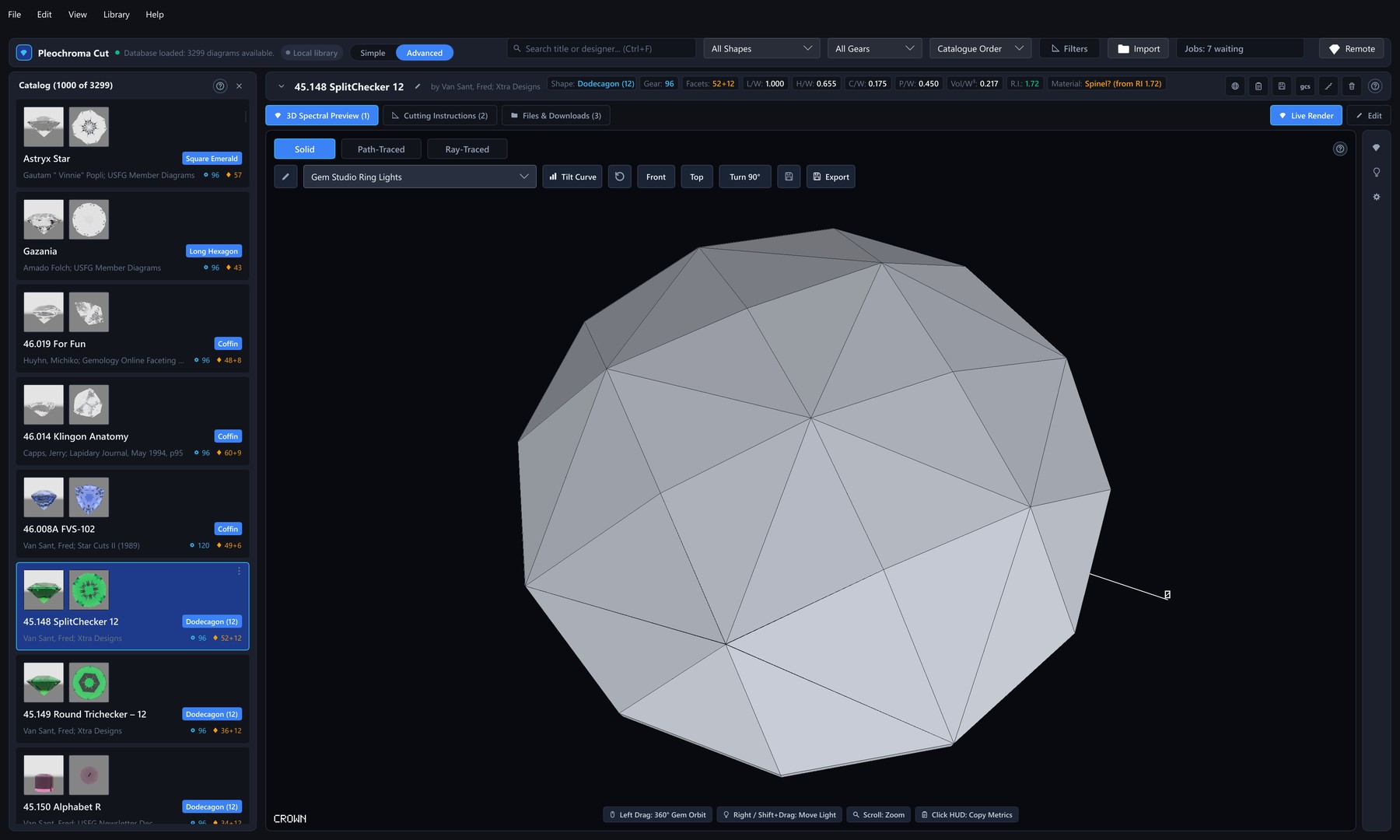
pleochroma-cut is the desktop application: a design library
on the left and a live 3D viewport on the right. The library is a local
database with no account, searchable by shape, index gear, facet count and
length/width ratio, and it can also browse a remote coordinator's catalogue.
The viewport offers a fast solid preview, a lightweight Ray-Traced view,
or the full spectral Path-Traced engine, with lighting presets from a light tent to a grading tray and
daylight, custom HDR environments, live
brilliance, windowing and extinction readouts, an optional Optical
Diagnostics layer that marks windowing, extinction, brilliance and fire
on the stone, and tilt sweeps that show how
a design behaves in the hand and not only face-up. Stills export up to
8192 × 8192 pixels, and a queue renders stills and tilt videos
overnight.
One Simple / Advanced switch hides or shows controls without touching any design. The user manual is built into the program (Help → User Manual, or F1 for the page about whatever is on screen), and Ctrl+K opens a command palette that reaches most actions by name.
5Faceting CAD
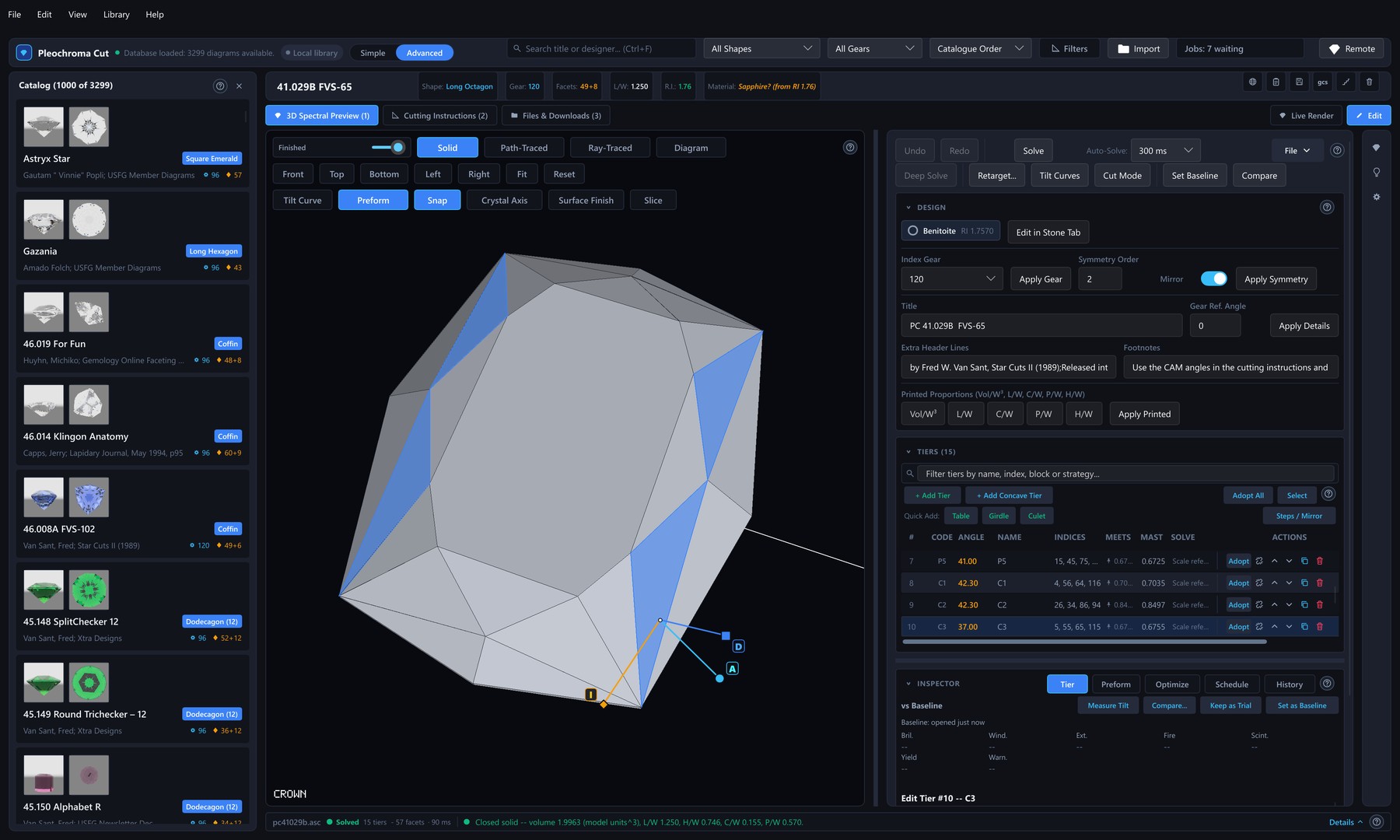
The editor treats the cutting instructions as a constraint graph, not a
list of numbers. A solver resolves every facet's cutting depth from its meet
constraints, a tier's angle can follow other tiers through a relation such
as =P1 - 2, and concave facets cut with a cylinder, cone,
circle, disc or sphere tool are part of the design. Optimize, and Retarget
for another material, check every candidate against the meets of the
original design and offer only results that keep them. For a design with
concave tiers they and the angle sweep score the stone with its tools, the
library previews draw it with them, and the GPU traces up to 128 tool
placements, every one a design can hold. Angle
sweeps, history and variants, a
step-by-step cutting mode for the bench and 90 short tutorials are built
around it. Whole tiers or single facets can be frosted: the renders show
them matte, the tilt curves follow them, the cutting sheet marks them and
.psdd and .gcs files keep them, while the live
Checks numbers, the optimizer, Retarget and Compare still score every
facet as polished. The printable cutting sheet lists the facets in cutting
order with positive angles, and a design can be exchanged as GemCAD
.asc, Pleochroma's own .psdd, and
.gem or .gcs files from GemCAD and Gem Cut Studio.
The solver, optimizer, Retarget and angle sweep also run without a window
in pleochroma-cli, which takes several design files per
command.
The Rough planner (Library → Plan Rough...) takes a block, cylinder, pebble or scanned mesh of rough and ranks up to 10 ways of cutting it into as many stones as fit, or at most as many as you choose, mixing up to 99 designs from your library.
6Materials
38 built-in gem materials, each with a dispersion fit either taken from the optics literature or derived from corroborating gemological references. One of them, Ametrine, is color zoned: an amethyst half and a citrine half in one stone. The colors of Ruby, Sapphire, Emerald, Peridot, Spessartine, Tsavorite, Demantoid, Aquamarine and the heat-treated, violet-blue Tanzanite are fitted to published measured absorption spectra. You can add your own, with Sellmeier or Cauchy coefficients that are validated before use, and give any stone a custom color by tone, saturation and hue. The same list is offered by the renderer and the CAD editor.
7Distributed rendering
The viewport renders locally while the camera moves, then hands sample tracing to a coordinator once it settles. Work is split by sample-index range, not by screen tile, so a stone's few expensive facets do not unbalance the machines. The coordinator can trace itself and also drives render workers that dial out to it, so machines behind NAT or in the cloud can join, and a worker that drops out mid-job loses nothing. Local and remote samples are summed, never duplicated; results travel losslessly compressed, or as a finished picture when bandwidth matters more. Every connection is mutual TLS 1.3 with one-time token enrolment. A coordinator that renders itself can also keep a still-picture job for a client that has gone offline, such as the Android app, which fetches the picture later.
Protocol, the pleochroma-worker CLI and cluster setup · A distributed export in flight
8Downloads
Pleochroma comes as ready-built programs for Windows and Linux. On Windows the easiest way to install it is the Microsoft Store: Pleochroma for Windows, which the Store keeps up to date. The tables below are the direct downloads from GitHub, for Windows and Linux. The GPU builds add the GPU path tracer; the CPU builds render on the processor only.
Windows
| Program | CPU only | With the GPU path tracer |
|---|---|---|
pleochroma-cut: the desktop studio and faceting CAD |
pleochroma-cut-windows-scalar-cpu.exe |
pleochroma-cut-windows-scalar-gpu.exe |
pleochroma-worker: the coordinator and render worker for distributed rendering, run from a terminal |
pleochroma-worker-windows-scalar-cpu.exe |
pleochroma-worker-windows-scalar-gpu.exe |
Linux
| Program | CPU only | With the GPU path tracer |
|---|---|---|
pleochroma-cut: the desktop studio and faceting CAD |
pleochroma-cut-linux-scalar-cpu |
pleochroma-cut-linux-scalar-gpu |
pleochroma-worker: the coordinator and render worker for distributed rendering, run from a terminal |
pleochroma-worker-linux-scalar-cpu |
pleochroma-worker-linux-scalar-gpu |
On Linux, mark the file as executable once before the first start, for
example chmod +x pleochroma-cut-linux-scalar-gpu, then run
./pleochroma-cut-linux-scalar-gpu.
The user manual is the documentation for the desktop application. Begin with Chapter 1, Getting Started, which walks through the main window; the manual has 24 chapters and three appendices. The same manual opens inside the program from Help → User Manual, and F1 opens the page for whatever is on screen.
There is no download for the Android app yet: it is not in an app store, and you build it from source and install it on your own device (or run it in a desktop window).
Every release, with its notes and all of its builds, is on the releases page. Go there to see what changed. There are no ready-built programs for macOS: on a Mac, or to install with Cargo or build from source on any system, see getting started.
9Getting started
Nothing to install: the browser version is at live.pleochroma.com (see the web app page for what it can do). For the design library, the GPU and remote rendering, download the desktop application from the downloads section (on Windows it is also in the Microsoft Store), or install it with Cargo. On an Android phone or tablet, the mobile app is built from source for now: the page lists the steps, and a one-line command runs the same interface in a desktop window.
cargo install pleochroma-cut --features gpu
pleochroma-cut
Then open a design from the library, pick a material and a lighting, and the live render starts. A first render takes a few clicks and no settings. The user manual explains every window step by step, and it is also built into the program under Help → User Manual.
Video tutorials: video tutorials are on the Pleochroma YouTube channel. The program also has 90 short tutorials of its own (Help → Tutorials), one for each CAD function.
10Workspace
Pleochroma is a Cargo workspace of libraries and applications, all MIT
licensed. The renderer (pleochroma), the editor core, the file
formats, the design library and the network protocol are published
libraries on crates.io; the desktop studio, the coordinator and worker,
the command-line tool, the browser build and the Android app are the
applications on top.
11Roadmap
Planned, not implemented, and with no dates:
- Optical-effect overlays in the web and Android apps (the desktop studio has them).
- GPU rendering in the browser for birefringent and color-zoned stones (isotropic stones such as diamond and spinel already render on the GPU), if browser-sized kernels prove possible.
- Help, tutorials and an app-store release for the Android app.
- More interface languages, and design libraries in MySQL or PostgreSQL.
12Status and limitations
- The browser build renders on CPU Web Workers and, for isotropic stones in Chrome and Edge, on the GPU. It has no design library, remote rendering, Deep Solve, tutorials or cutting mode, and its concave tiers cannot be edited.
- The Android app is built from source and is not in an app store. It has no Rough planner, tutorials or help yet, and its Optimize and Retarget, included by the default
validated-design-searchfeature, have not yet been validated on a range of devices. - The GPU path needs a Vulkan, DirectX 12 or Metal adapter with enough storage buffers; otherwise rendering falls back to the CPU. OpenGL is not used on the desktop: a machine with OpenGL only renders on the CPU.
- Frosted facets show in the renders and the tilt curves, but the live Checks numbers, the optimizer, Retarget and Compare score every facet as polished.
- Every concave tool placement is sized from the finished flat stone's width, and Deep Solve does not handle designs with concave tiers.
- The Rough planner reads OBJ, STL and PLY meshes up to 64 MiB, repairs small defects, and falls back to a convex outline for very heavy, open or self-crossing meshes; a smooth scan that is too heavy is refused.
- Inclusions are not yet available on block, cylinder or pebble roughs.
- The
.gcsexport is experimental: its files have not yet been opened in Gem Cut Studio.
Ray-Traced and Path-Traced
The viewport offers Solid, Ray-Traced and Path-Traced. Ray-Traced provides a fixed-tap preview, while Path-Traced accumulates spectral samples.
Ray-Traced is a deterministic approximation: one d-line index, or three fixed indices with Fire, RGB absorption tint and 1/4/8/16 AA taps. It finishes at the tap count without denoising. It omits polarization, birefringent doubling, scattering, zoning and edge rounding. Path-Traced retains the spectral model. Optical metrics, tilt sweeps and diagnostics keep their separate analytic tracer.